FREE Sketch Broken Link Icon
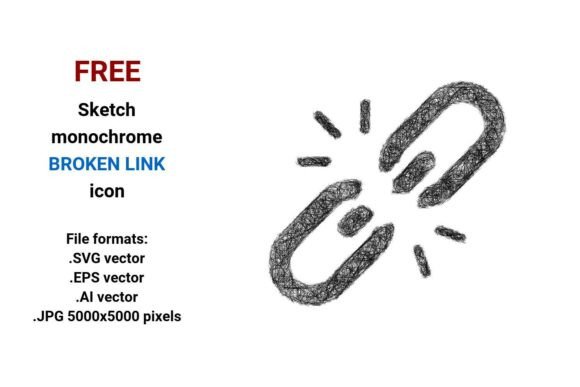
Imagine spotting a broken link on your website dashboard—and instead of a sterile red “X” or cryptic error code, you see a hand-drawn sketch icon: rough pencil lines, a slightly wobbly chain link snapped in two, maybe a tiny “404” scrawled beside it. That’s the essence of the FREE Sketch Broken Link Icon—a human-centered, expressive design element that communicates failure with warmth and clarity.
This isn’t just another generic icon set. It’s a thoughtfully crafted visual cue available in four practical formats: scalable .SVG vector, editable .EPS vector, Adobe Illustrator–ready .AI vector, and high-resolution .JPG (5000×5000 pixels). Because whether you’re tweaking a UI prototype at midnight or prepping assets for a client handoff, flexibility matters.
Why a Sketch-Style Broken Link Icon Fits Real Workflows
A broken link isn’t just technical—it’s a moment of friction. For users, it’s confusion. For creators, it’s a signal to refine. For educators, it’s a teachable pause about web reliability. The sketch aesthetic softens that friction without sacrificing meaning. Its slight imperfection says, “This is fixable—and we’re paying attention.”
Unlike rigid, machine-perfect icons, this one uses intentional roughness: uneven strokes, subtle tapering, visible pencil texture. That makes it especially effective in contexts where approachability and authenticity matter—like educational dashboards, creative portfolios, internal tools, or community platforms.
Beginners & Educators
If you’re learning UX basics or teaching web literacy, the FREE Sketch Broken Link Icon works as both a tool and a teaching aid. You can drop it into a Figma mockup to label a “broken link” section—or use it alongside a lesson on HTTP status codes. Its sketch style invites questions: *Why does this look handmade? How might tone affect user trust?* No coding required. Just drag, resize, and discuss.
Designers & Frontend Developers
You need assets that integrate cleanly—without pixelation, licensing surprises, or conversion headaches. The vector formats (.SVG, .EPS, .AI) let you scale infinitely for retina displays, export crisp PNGs at any size, or adjust stroke weight and color directly in Illustrator. Need a dark-mode variant? Tweak the fill in seconds. The JPG version? Perfect for quick documentation screenshots or slide decks where vector support isn’t guaranteed.
Bloggers & Content Creators
Writing about SEO, accessibility, or site maintenance? Embedding the sketch-style icon next to phrases like “dead link,” “404 error,” or “link rot” adds visual rhythm and reinforces your message. It’s more memorable than text alone—and because it’s free and royalty-free, you won’t pause mid-post to check licensing terms.
Small Business Owners & Marketers
Your website’s credibility hinges on reliability—and broken links quietly erode it. When auditing your site, this icon helps you visually tag problematic URLs in spreadsheets, Notion trackers, or internal reports. Its sketch style keeps things light during what can feel like a tedious process. And if you’re building a custom 404 page? This icon becomes part of a cohesive, friendly brand voice—not cold error language.
Hobbyists & DIY Builders
Building a personal portfolio, a hobby blog, or a fan site? You want tools that feel joyful to use—not locked behind subscriptions or complex installers. The FREE Sketch Broken Link Icon delivers exactly that: no signup, no watermarks, no attribution required. Just download, open, and go. Whether you paste it into Canva, add it to a WordPress block, or trace over it in Procreate—the barrier to entry is nearly zero.
What Makes These Formats Actually Useful—Not Just Technical Details
Let’s demystify the file types:
- .SVG: Your go-to for websites and modern apps. Scales flawlessly, loads fast, supports CSS styling, and works in all major browsers.
- .EPS: Ideal for print designers who need compatibility across older Adobe and Corel applications—or for handing off to print vendors who request legacy vector formats.
- .AI: Opens natively in Adobe Illustrator. Edit layers, adjust anchor points, recolor paths, or combine with other assets—no rasterization needed.
- .JPG (5000×5000 px): Crisp enough for large-format presentations, printed posters, or high-res PDF reports. No vector software? No problem.
None of these files are compressed, locked, or stripped of editing capability. They’re built for reuse—not one-off convenience.
When “Sketch Style” Solves Problems You Didn’t Know You Had
Think about a dashboard showing broken link counts across 200 pages. A flat, minimalist icon might blend in. A cartoonish one could undermine seriousness. But a sketch-style broken link icon strikes balance: clear enough to scan, expressive enough to humanize, simple enough to scale down to 16px without losing legibility.
It also sidesteps cultural assumptions. Unlike icons relying on universal symbols (which rarely exist), this one leans into shared visual language: a broken chain, crossed-out link, or torn paper edge—all widely understood, even without text.
Does This Match Your Needs Right Now?
Ask yourself:
- Are you looking for something free, ready-to-use, and ethically clear? ✅ Yes—no attribution, no paywall, no hidden terms.
- Do you value creative control—changing colors, combining elements, adapting to dark mode? ✅ Yes—the vectors are fully editable.
- Is clarity + character more useful than sterile precision for your audience? ✅ Yes—especially in learning tools, internal dashboards, or empathetic UX.
- Do you need reliability across contexts—web, print, presentation, prototyping? ✅ Yes—four formats cover nearly every real-world scenario.
If most of those resonate, this isn’t just another icon download. It’s a small but meaningful piece of infrastructure—one that supports better communication, faster iteration, and more thoughtful digital experiences.
Whether you’re debugging a live site, designing a classroom activity, or polishing a freelance portfolio, the FREE Sketch Broken Link Icon meets you where you are—no expertise required, no compromises needed.