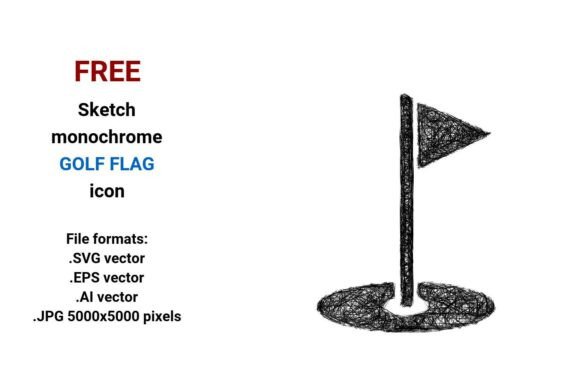
FREE Sketch Golf Flag Icon — Scalable & Stylish
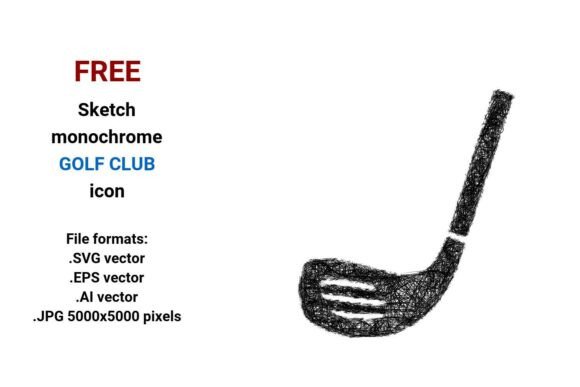
If you're designing a golf-related website, app interface, marketing asset, or educational material—and you need a clean, expressive visual cue for “hole,” “pin,” or “course navigation”—the FREE Sketch Golf Flag Icon is a quietly powerful tool. It’s not just another generic flag: it’s a hand-drawn, minimal line-art interpretation of a golf pin flag, delivered in four essential formats (.SVG, .EPS, .AI, and high-res .JPG), all in crisp black and white. That means it works equally well on a tiny mobile button or a 48” printed course map—without pixelation, distortion, or design compromise.
Why a sketch-style golf flag icon stands out
In digital and print design, authenticity matters. A photorealistic flag can feel stiff or overly literal; a flat solid-color icon may lack personality. The FREE Sketch Golf Flag Icon bridges that gap: its subtle pencil-like weight, gentle curves, and intentional imperfections communicate approachability and human craft. That makes it especially effective for brands or projects emphasizing storytelling, education, or community—like a beginner’s golf blog, an eco-conscious course redesign site, or a UX prototype testing wayfinding for public greenspaces.
Because it’s built as a vector image—defined by mathematical paths rather than pixels—it scales infinitely. Whether you’re exporting a 24px favicon, embedding it into a Figma UI kit, or printing it at 300 DPI on a tournament banner, the lines stay sharp and consistent. No reworking. No quality loss. Just reliable clarity.
Four formats, one flexible foundation
The inclusion of .SVG, .EPS, .AI, and .JPG (5000×5000 px) isn’t about redundancy—it’s about real-world workflow coverage:
- .SVG: Ideal for websites and web apps. Embed directly into HTML, style with CSS (e.g., change stroke color on hover), and keep file sizes under 5 KB.
- .EPS and .AI: Native Adobe formats for designers using Illustrator or InDesign. Edit anchor points, adjust line weight, recolor non-destructively, or integrate into larger branding systems.
- .JPG (5000×5000 px): High-resolution raster fallback—useful for presentations, social media banners, or print layouts where vector support isn’t available (e.g., certain email clients or legacy publishing tools).
This multi-format access saves time across disciplines. A marketer doesn’t need Illustrator to drop the icon into a Canva campaign; a developer doesn’t need to convert assets before coding; an educator can paste the JPG straight into a slide deck without worrying about scaling artifacts.
Where this icon delivers tangible value
Consider these everyday scenarios:
- Golf course websites: Use the FREE Sketch Golf Flag Icon as a navigational marker next to “Hole 7” headings or as a subtle background motif in section dividers. Its sketch aesthetic softens formal layouts while reinforcing thematic consistency.
- Educational content: When illustrating rules (e.g., “flagstick etiquette”) or course anatomy, a hand-drawn hole flag reads as instructive—not decorative. It guides attention without overwhelming learners.
- Mobile app UX: As a golf flag button or status indicator (e.g., “flag placed”), its outline-based simplicity ensures legibility even at 16×16 px—especially when paired with sufficient contrast.
- Printed materials: From scorecards to trail signage, the vector files output cleanly at any size. No blurry edges. No last-minute fixes before press time.
It’s also intentionally isolated and minimal—no background, no shadow, no extra elements. That isolation makes it easy to layer over photos, tint with brand colors, or combine with other sketch-style icons (e.g., a rough terrain icon or minimalist club) for cohesive visual language.
Who benefits most—and why
Freelance designers and small studios appreciate how quickly this asset integrates into client projects—whether building a full golf resort identity or splicing icons into a WordPress theme. No licensing fees. No attribution required. Just drag, drop, and refine.
Educators and nonprofit communicators find value in its expressive clarity: a sketched hole flag conveys “target,” “goal,” or “destination” intuitively—even to audiences unfamiliar with golf terminology. That supports accessibility and cross-cultural understanding.
Developers and product teams rely on the SVG version for performant, responsive interfaces. Because it’s pure vector markup, it loads faster than equivalent PNGs and adapts seamlessly to dark mode (via CSS filters) or high-DPI screens.
A note on fit and thoughtful use
While versatile, the FREE Sketch Golf Flag Icon thrives in contexts where a relaxed, human-centered tone aligns with goals. It may feel less suited for ultra-formal corporate reports or luxury branding that leans into polished minimalism (e.g., monochrome serif typography with razor-thin lines). In those cases, comparing it alongside more geometric or refined alternatives remains wise.
Also, because it’s black-and-white only, users needing color variants will need to recolor manually in vector editors—or pair it intentionally with accent hues in layout (e.g., a red stroke applied via CSS, or a teal background behind the icon). That’s not a limitation—it’s flexibility built-in.
More than decoration: a design element with purpose
At its core, this isn’t just a golf flag icon. It’s a hole flag button that invites interaction. A golf pin flag icon that signals precision. A sketch line icon that implies process and iteration. Its hand-drawn character subtly reinforces values like transparency, learning, and craftsmanship—qualities that resonate deeply with today’s audiences.
Whether you’re mapping a new app flow, illustrating a sustainability initiative for public courses, or building a portfolio piece that shows off your UX sensibility, having a scalable, expressive, and freely usable vector golf flag removes friction from the start. You spend less time hunting or tracing—and more time solving, communicating, and creating.
And because it’s delivered as clean line art—not a textured scan or stylized illustration—it stays lightweight, editable, and future-proof. That’s practical value you feel in the first export, the tenth revision, and the final handoff.