FREE Sketch Planning Icon for Clear, Creative Strategy
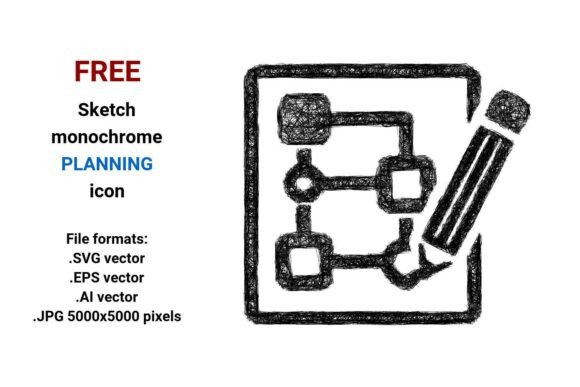
When you’re mapping out a new project, designing a game level, or sketching a lesson plan on a whiteboard, clarity starts with the right visual cue. The FREE Sketch Planning Icon delivers that cue—not as a polished corporate symbol, but as a thoughtful, hand-drawn-style planning element that feels human, intentional, and grounded. It’s not just another icon; it’s a design ally for anyone who values authenticity alongside utility.
Why a Sketch-Style Planning Icon Works Where Others Don’t
Many planning icons rely on rigid geometry—perfect circles, sharp corners, uniform strokes. That precision has its place, especially in enterprise dashboards or formal reports. But when you're brainstorming a board game mechanic, wireframing an indie app feature, or illustrating a workshop handout, those sterile icons can feel disconnected from the messy, iterative nature of real planning. The FREE Sketch Planning Icon bridges that gap. Its subtle imperfections—the slight wobble in the curve, the tapered pencil stroke, the gentle taper of a hand-sketched arrow—signal “this is a work in progress,” inviting collaboration instead of finality.
This isn’t about aesthetics alone. In UX research and instructional design, sketch-style elements consistently lower cognitive load during early-stage communication. A team reviewing a prototype with sketchy UI components spends less time parsing polish and more time debating logic, flow, and user need. That’s why educators use sketch icons in editable slide decks, game designers drop them into pitch decks before committing to final art, and freelancers embed them in client-facing mood boards to signal flexibility.
Four Formats, One Flexible Asset
The FREE Sketch Planning Icon comes in four formats—.SVG, .EPS, .AI, and high-res .JPG (5000×5000 px)—each serving a distinct purpose without compromising quality.
- .SVG: Ideal for websites, apps, and digital interfaces. Scales flawlessly across devices, supports CSS styling (e.g., hover color shifts), and loads quickly. Perfect for a “Plan Your Move” button in a strategy game UI or a “Next Step” marker in a web-based course.
- .EPS & .AI: Industry-standard vector formats for professional editing in Adobe Illustrator or CorelDRAW. Fully layered and editable—you can adjust stroke weight, recolor individual paths, or isolate the pencil mark from the circular frame. Essential for branding consistency or adapting the icon to match your existing sketch-style illustration system.
- .JPG (5000×5000 px): High-resolution raster output for print materials—think presentation handouts, conference posters, or physical game components like player reference cards. Crisp at any size up to large-format printing, with no pixelation or blurring.
Unlike raster-only downloads, this set gives you both fidelity *and* flexibility. You’re not locked into one workflow. Need to tweak the icon for a dark-mode interface? Edit the vector. Preparing a printed strategy guide? Use the JPG. Embedding in a Figma prototype? Export SVG directly. That cross-format readiness saves hours—not just in asset prep, but in avoiding last-minute format conversions that degrade line integrity or introduce unwanted anti-aliasing.
Real-World Uses Across Roles
A small business owner launching a productivity coaching service might use the FREE Sketch Planning Icon as a recurring visual motif: on their website’s “Strategy Session” CTA button, inside editable Notion templates they sell, and as a watermark on downloadable planning worksheets. Its sketch style reinforces their brand voice—approachable, process-oriented, and human-centered.
For game designers, this icon fits naturally into early documentation. Place it beside “Game Loop” diagrams in a design doc, use it as a navigation label in a prototype’s main menu (“Plan → Build → Test”), or layer it over concept art thumbnails to denote “planning phase assets.” Because it’s black-and-white and minimal, it integrates cleanly with any color palette—no clashing with character art or UI themes.
Educators building asynchronous learning modules often struggle with visual hierarchy. A sketch-style planning icon next to a “Design Your Experiment” activity stands out without overwhelming—more memorable than a generic clipboard icon, yet more functional than abstract art. And since it’s editable, they can add numbered steps directly onto the vector file for step-by-step guides.
What This Icon Doesn’t Do (And Why That Matters)
The FREE Sketch Planning Icon isn’t meant to replace detailed infographics, animated explainers, or custom illustrations for complex systems. It won’t auto-generate Gantt charts or sync with project management tools. It doesn’t include alternate versions for “completed,” “blocked,” or “reviewed” states—those require intentional extension.
That limitation is deliberate. Its strength lies in simplicity and intentionality. If you need a scalable, recognizable, emotionally resonant symbol for *the act of planning itself*, this icon delivers. If you need a full icon system with dozens of states and interactions, you’ll want to pair it with a broader library—or build outward from this as a foundational style guide.
Also note: because it’s intentionally sketchy, it may not suit contexts demanding strict accessibility contrast (e.g., very light gray on white). Always test against WCAG guidelines when used in live UIs—and remember, the vector files let you adjust stroke thickness or add subtle fills to improve legibility without losing the hand-drawn essence.
Getting Started Is Instant—No Strings Attached
There’s no email gate, no trial period, no attribution requirement. Download the FREE Sketch Planning Icon and begin using it immediately—in commercial projects, open-source tools, classroom materials, or personal experiments. The black-and-white design ensures compatibility with any background, and the vector math behind every curve means it will look identical whether displayed on a smartwatch or a 24-inch monitor.
Think of it as a quiet collaborator: not flashy, not demanding attention, but always ready to clarify intent, invite iteration, and ground your strategy in something tangible. Whether you’re outlining a new board game mechanic, structuring a semester-long curriculum, or helping a client visualize their first quarter goals—the FREE Sketch Planning Icon helps make planning feel less like paperwork and more like possibility.